Clipurr.
A useful copy should survive the next one. I’m building a local history for recovering text, images and files — with search and OCR on macOS.
A copy, with context.
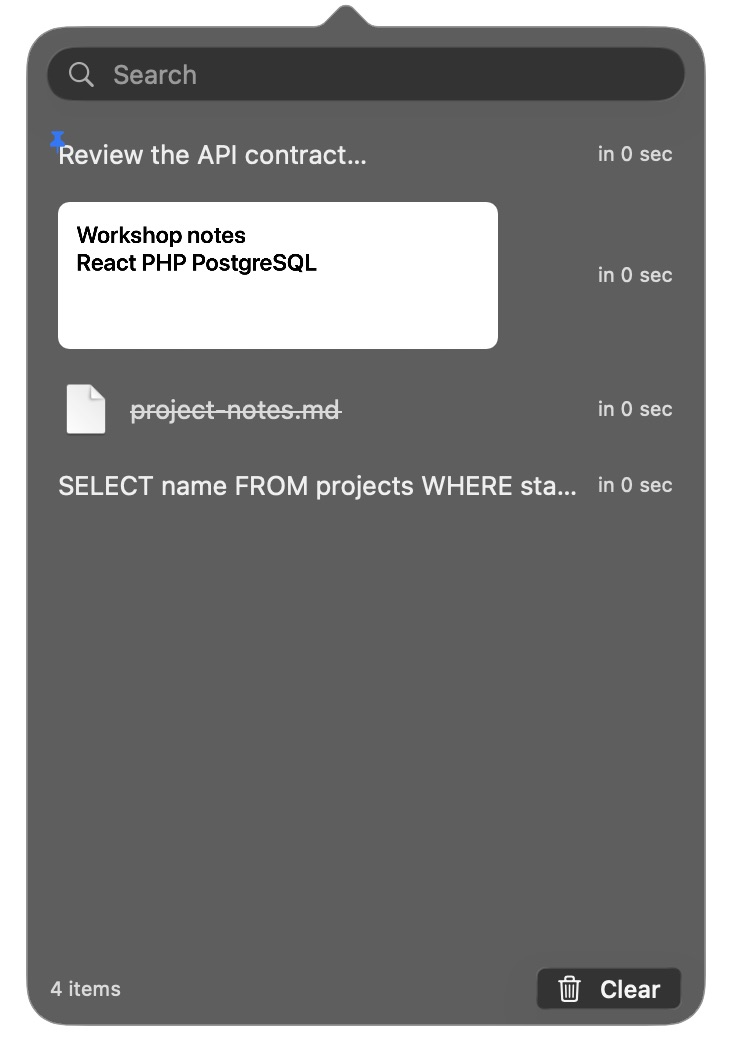
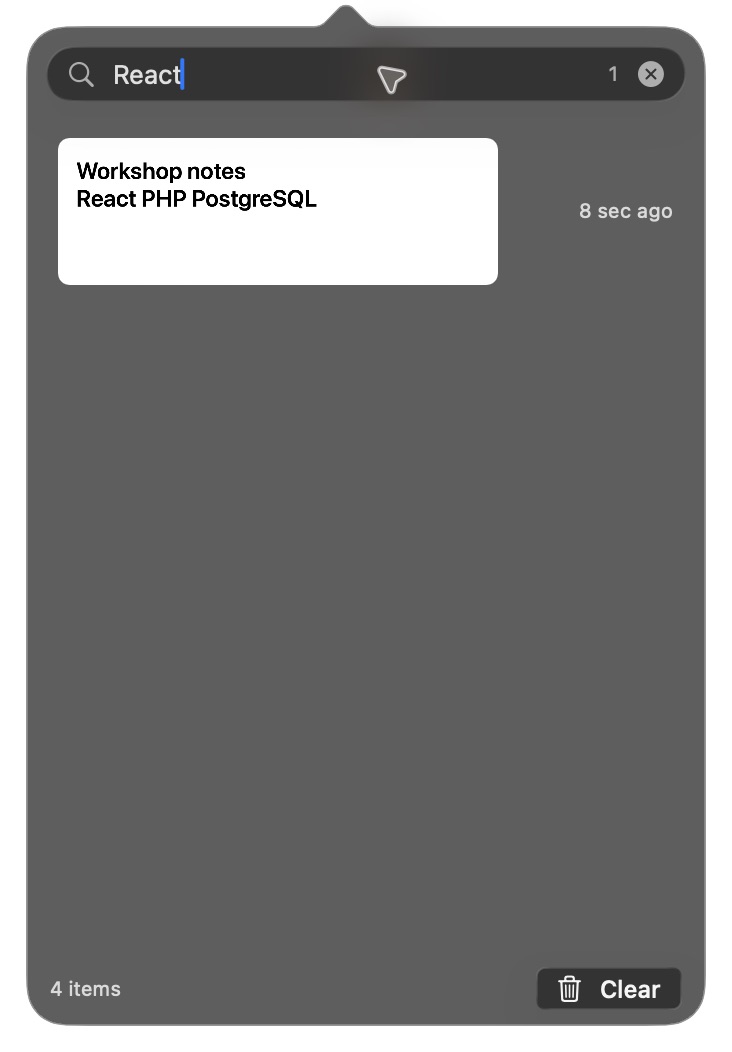
Search for “React”, select an image or pin an item. This web illustration explains the source workflow; it is not a screenshot of the native app.
- Review the API contract · Workshop notes · project-notes.md
Review the API contract
Pre-filled OCR, synthetic data and in-memory state only. This page does not read your clipboard.
Recover without interruption.
Copying something else usually replaces the previous reference. The project brings different content types into a searchable list, with a short path to selecting and copying an item again.
From capture to the next copy.
Capture
ClipboardMonitor watches NSPasteboard changes. ContentTypeExtractor identifies text, images or file references.
Store
HistoryStore deduplicates content; PersistenceManager serializes the history to local JSON.
Find
OCRService uses Apple Vision in an actor. Recognized text is attached to the item and becomes searchable.
Re-copy
SwiftUI presents the list; AppKit controls the popover. Re-copy can preserve RTF/HTML representations or use plain text.
An image can be found through text.
Recognition runs outside the UI. The item appears first; the Vision result arrives later and is attached by identifier. If OCR fails, the code returns empty text and keeps the item available.
Pinned items appear first and survive automatic count/age eviction. Explicit deletion can still remove them. Re-copy flags its own write so the monitor does not create another item.
Local does not mean encrypted.
History is saved to ~/Library/Application Support/Clipurr/history.json. The code provides no encryption, secret detection or per-app exclusions. Optional auto-paste requires Accessibility permission; launch-at-login still needs verification in a packaged app.
Verified in the native app.
On October 3, 2026, the debug/release builds, 36 Swift Testing tests and the XCTest serialization property test passed with full Xcode. Tests cover pin retention, persistence, rich/plain re-copy on a private pasteboard and real Apple Vision OCR. Launching the app exposed a Settings initialization crash, which was fixed before verifying image search in the native interface.
Global shortcuts, automatic clipboard capture, auto-paste and launch-at-login still need end-to-end verification.